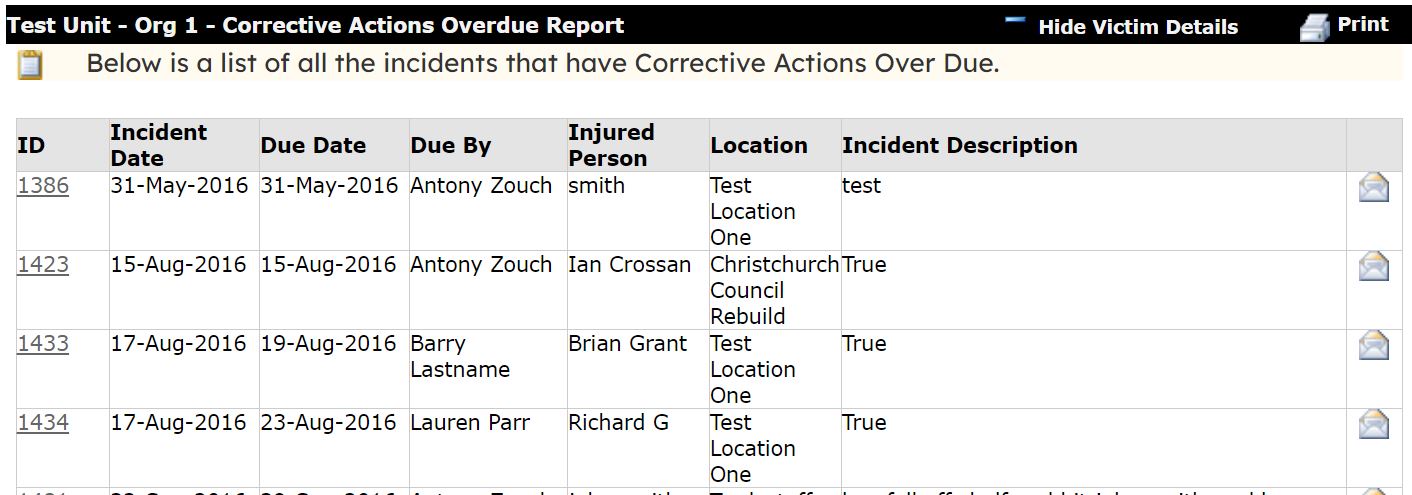
The Corrective Actions Overdue report will show any overdue actions that have been set up within the system. For example, removing a hazard, following up an incident, etc.
To run a corrective action overdue report head to Reports > Corrective Actions overdue.
You can click into any incident that has an overdue action against it by clicking on the ID number.
The overdue action can also be emailed to the person that may need to follow it up by clicking on the email icon against the incident.
An example is shown below: