
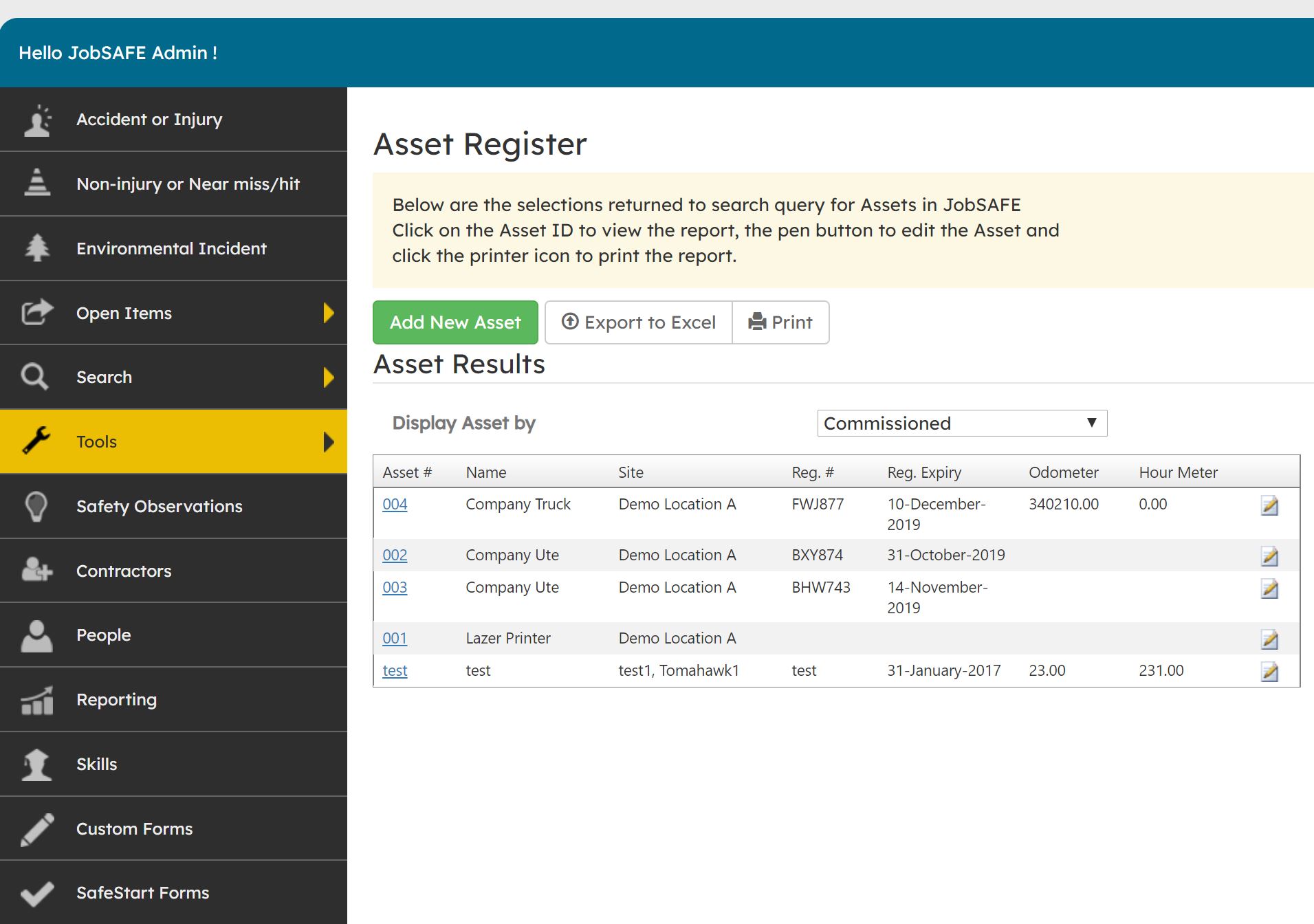
Under Tools > Assets, you will be able to locate the Asset Register as shown below.
 Here you can add new Assets by clicking on the "Add New Asset" button.
To add a new asset follow the below steps:
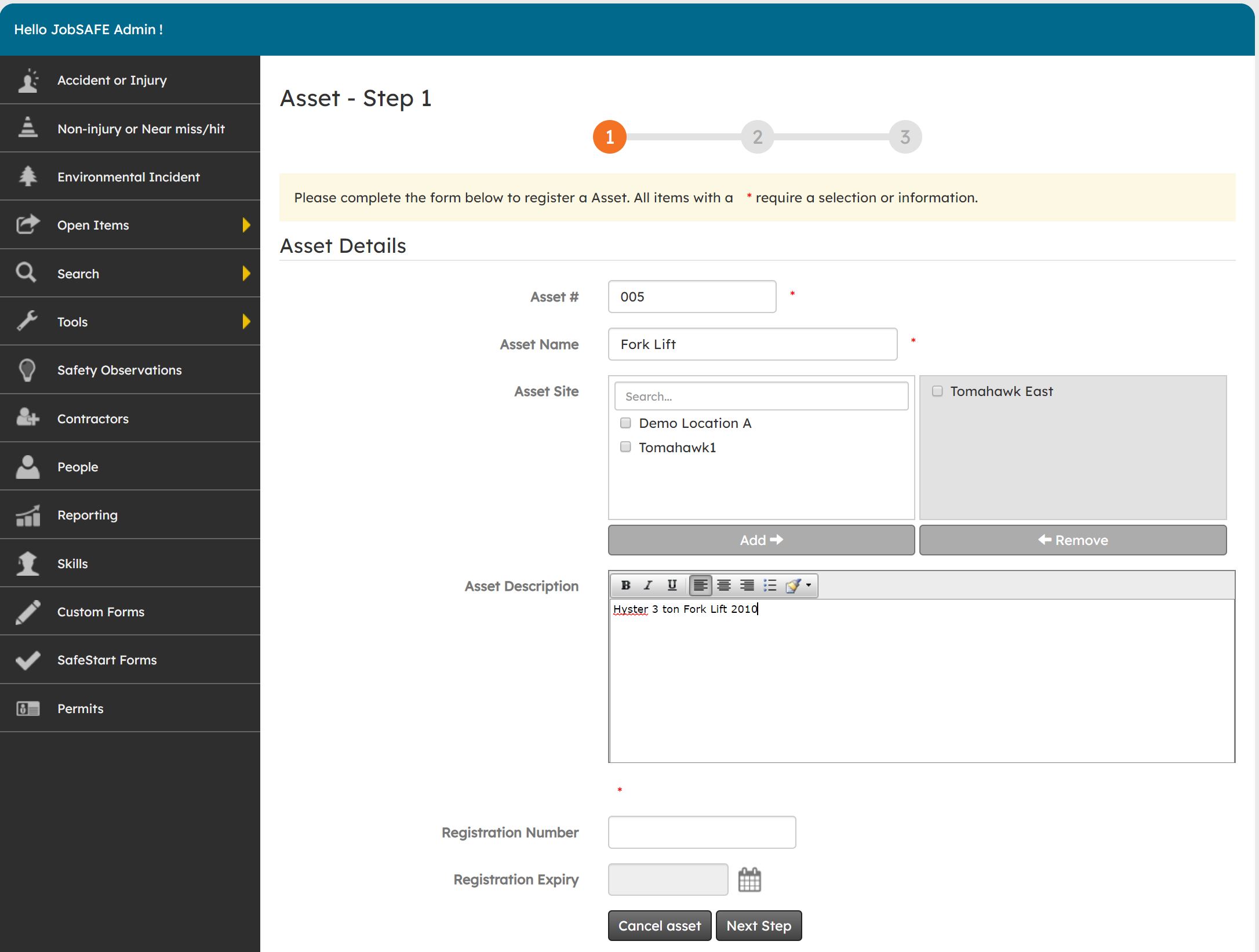
Step 1
Fill out the details of the asset. Including registration number, name, asset number, etc.
Step 2
Here you can add any maintenance information for the asset such as dates for maintenance, an assigned user to undertake the maintenance and any maintenance.
Step 3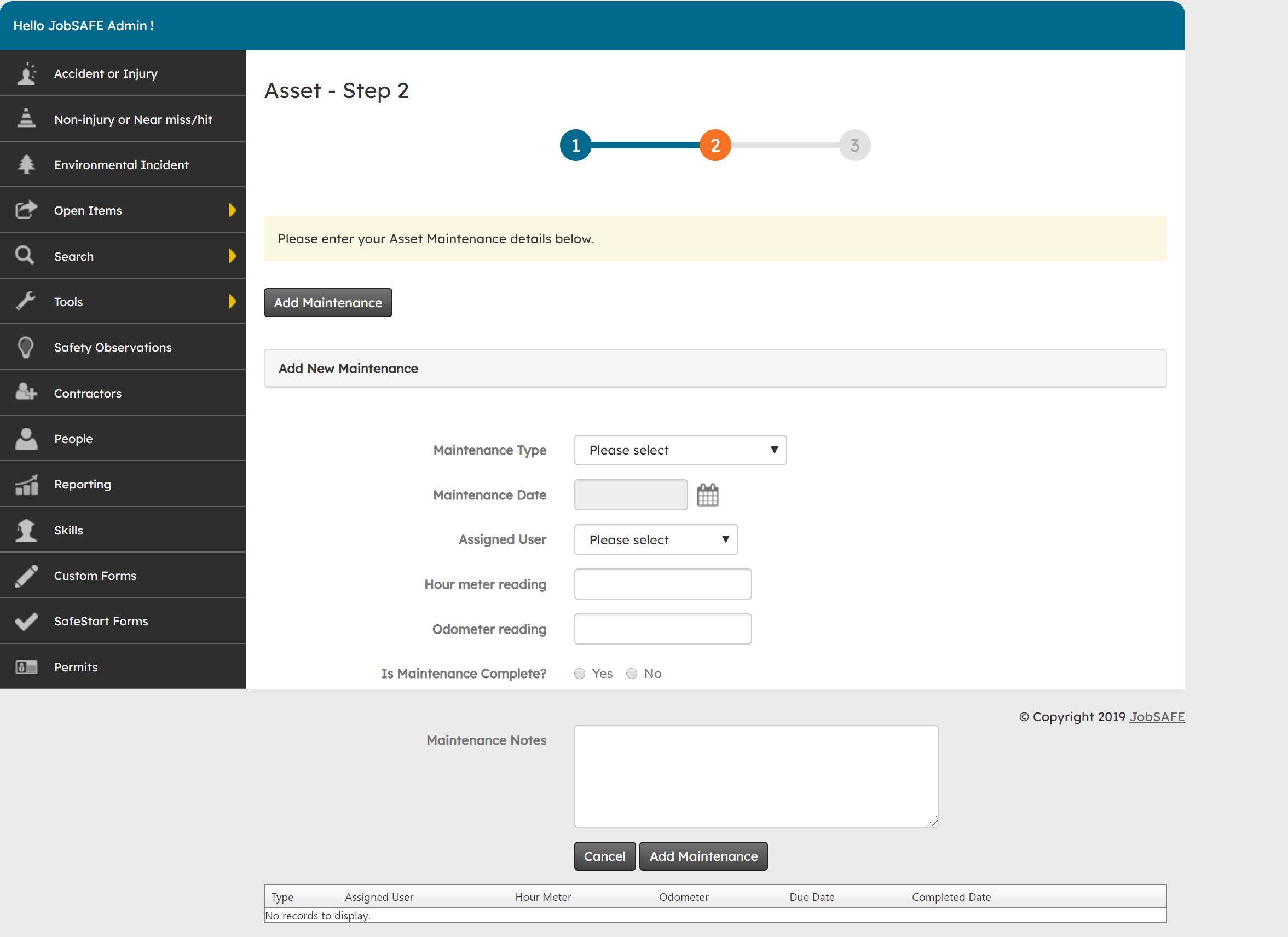
At the final step you can review your asset before submitting it.
